Tick
A terminal-flavored Mac checklist that stays local — and an MCP server so your AI tools write to the same SQLite file you do.
- Year
- 2026–
- Role
- Design + Development
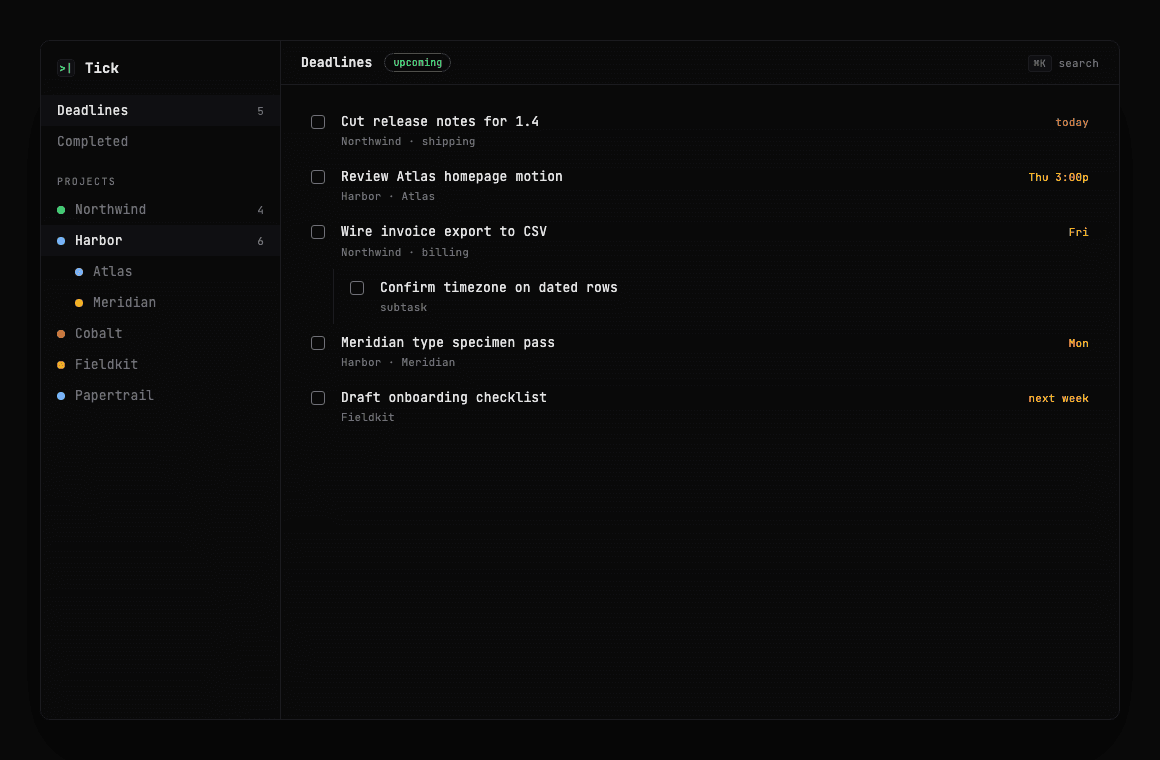
Tick is the Mac app we built for our own work: nested projects, todos with deadlines, a deadlines view you can pin above everything else, and quick capture from anywhere on the machine. The data lives in a local SQLite file. The unusual part is the MCP server beside it — Claude and other tools talk to that same database, so a conversation can create a todo without opening a second source of truth.
Two lists is how work gets lost
A practice runs on deadlines that don't care which app you prefer. Client platforms, studio sites, App Store builds — they all share one calendar week, and they used to live in three places: a notes file, a chat thread, and whatever task app someone had open that month.
Cloud todo apps solve sync. They don't solve the moment you're mid-flow in a terminal or a chat with a model and need to park a task without context-switching into a browser tab. And they definitely don't solve two agents — you and Claude — writing into different lists and assuming the other one saw it.
We wanted one checklist on the Mac that stays fast when offline, stays readable like a terminal, and can be read and written by the same AI tools we already use to do the work.
Projects, deadlines, and a strip that stays on top
Tick is an Electron app with a React UI themed like a terminal — monospace, dark panels, accent greens for due state. Projects nest. Todos nest. Deadlines pull across every project into one upcoming view, which is the screen that actually gets looked at during a week.
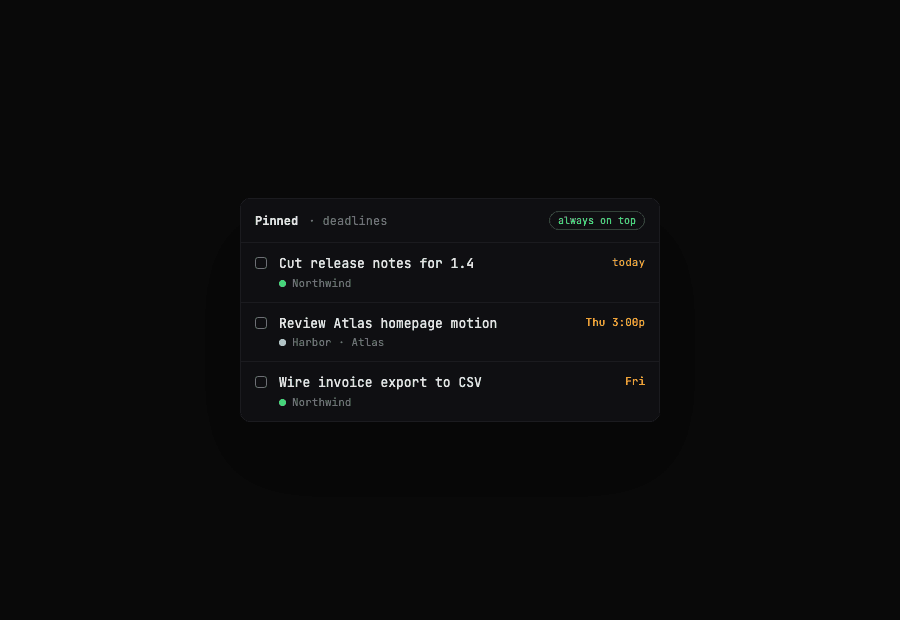
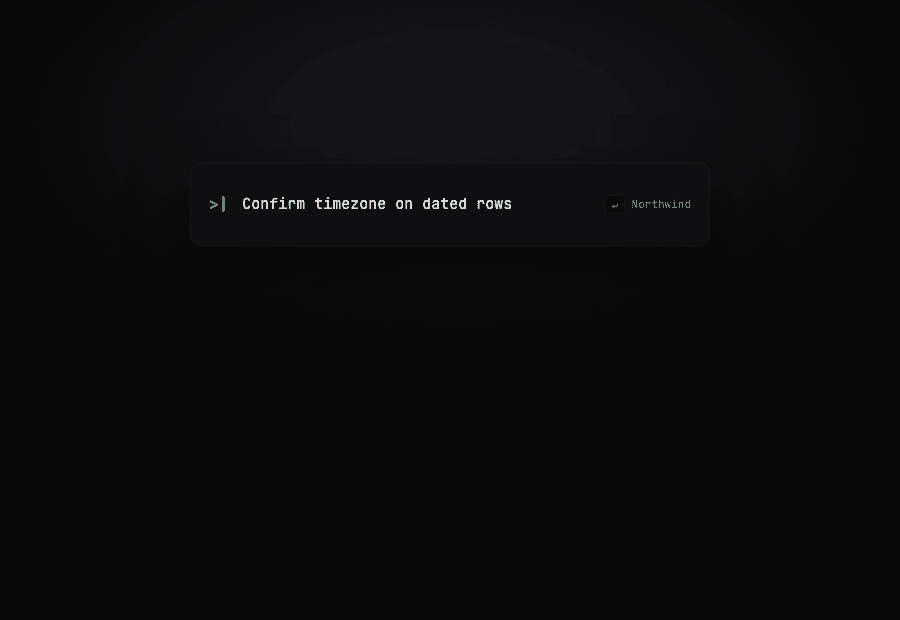
Pin that deadlines view and it becomes a always-on-top strip: enough to see what's overdue without reclaiming a full window. Quick capture is Alt+Space — a thin overlay, type a title, land it on a project, gone. Search is Command-K across projects and todos.
Underneath is better-sqlite3 writing to Application Support. No account, no sync service, no multiplayer. That is intentional. The failure mode we care about is losing a deadline because a sync conflict or an empty SaaS free tier got in the way — not missing a teammate's emoji reaction on a task.
One database, two writers
The MCP server is not a second API wrapping a cloud backend. It opens the same SQLite file the desktop app uses. List projects, create a todo, mark complete, pull upcoming deadlines — all of it is the checklist you already see in the window.
That sounds simple until two processes write at once. The Electron app keeps a live UI. The MCP server is a separate Node process Claude spawns over stdio. If either caches a view of the world, you get the classic split-brain: the model thinks it filed something, the window still shows yesterday.
So the app watches the database file for changes and refreshes when the MCP server writes. Reminders and recurrence still run in the Electron main process. The MCP layer is a peer on the file, not a remote authority. Get that wrong and you've built two products that only look like one.
Reminders without a cloud scheduler
Due dates only help if something pokes you when they arrive. Tick's reminder scheduler runs in the main process on a one-minute tick: lead notice an hour out, due notice at the minute, overdue badge after. Each firing is recorded so a relaunch doesn't re-notify the same event.
Recurrence is local too — when you complete a recurring todo, the next occurrence is written back into SQLite rather than delegated to a calendar API. That keeps the checklist self-contained, and it means an MCP-completed todo still advances the series the same way a click in the UI would.
None of this is exotic. The constraint is that every piece has to survive the Mac being closed overnight and waking up with the same file. A design that assumes a always-on server quietly fails the week you take a flight.
A beta we use every day
Tick ships as a signed-for-development Mac build today — Electron, Vite, React, Tailwind, better-sqlite3, and the MCP server as a companion script. We use it for the same mix of work that fills a practice week: client platforms, studio handoffs, and our own App Store products.
Distribution is still the honest beta shape. There is no public marketing site and no Mac App Store listing yet. The product exists because the practice needed the tool — use it until the rough edges are the ones worth keeping.
What we would not trade away is the local file and the MCP peer. Cloud sync can come later. A second list that AI tools write into while we look at a different one cannot.