Endeo keeps your pen strokes and treats the OCR text as disposable
In Endeo, Apple Pencil strokes stay authoritative and OCR text is disposable derived data. People take sermon notes with a pen; search needs text, but text will be wrong. Design search and sync around ink you trust and text you do not — rather than forcing a keyboard into a pen workflow.
The keyboard is the wrong instrument for this
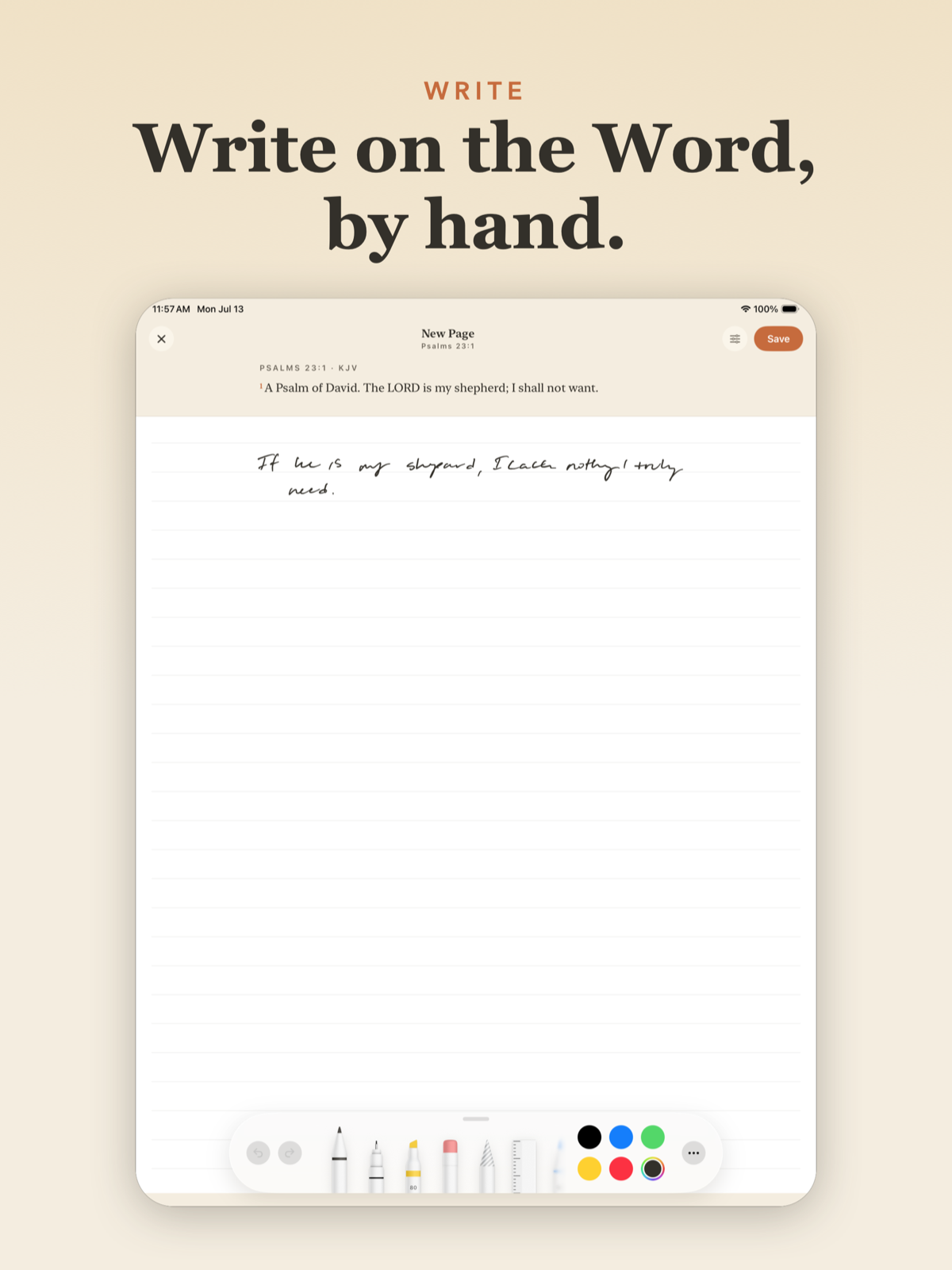
Watch someone study a passage on paper. They underline a clause, bracket three verses, write one word in the margin, then draw an arrow from that word to a reference in a different book. None of that is a sequence of characters. It's a spatial argument about a text, and the layout carries as much of the meaning as the words do.
A text field flattens all of it. You keep the words and lose the structure that made the words worth writing. We built the typed version first because it was faster, and the notes people produced in it were shorter and blander than what the same people produced on paper next to it. That isn't a number we measured, it's what we watched happen on a couch with an iPad and a stack of index cards.
So the capture layer is PencilKit. A PKCanvasView per note, the PKDrawing serialized and stored. That solves the input problem and immediately creates the real one: a year of handwritten notes you cannot search is worse than a physical notebook, because at least the notebook has a page order your hands remember.
Strokes stay authoritative, text is derived
Everything else follows from one decision: the drawing is the document, and the recognized text is an index. Two fields on the same record, only one of which is allowed to be wrong.
In practice a note stores the serialized stroke data plus a separate recognizedText field that a Vision pass fills in. Search queries hit recognizedText. Rendering never touches it. When you open a note you see your own ink, the exact strokes you made, never a transcription of them. There is no screen in the app where the machine's reading of your handwriting is presented back to you as if it were your handwriting.
That buys two things worth the plumbing. A bad recognition degrades search and does nothing else, so nobody's note gets corrupted because Vision read grace as groce. And because the index is disposable, it's rebuildable: when a new iOS release ships a better recognizer, we re-run the pass over the whole corpus and search quietly gets better, with no migration and nothing at risk. The alternative, converting ink to text at capture and discarding the strokes, makes every recognition error permanent and unfixable by anyone.
What Vision actually gets wrong
VNRecognizeTextRequest is good. It is not good at handwriting the way it is good at a photographed receipt or a page of print. The training weight is clearly on typeset text, and it shows the moment you point it at a person writing quickly.
Cursive is much worse than printing, and most fast note-taking is a hybrid of the two, which is worse than either. The failure that hurt us most is scripture references, because a reference is a short run of pure ambiguity. In Jn 3:16 the colon becomes a period or disappears entirely, and 1, l, and I are freely interchangeable, so Ps 119 comes back as Ps ll9. For an app whose entire subject matter is verse references, that is the wrong thing to be bad at.
The second category is layout. Vision hands back observations with bounding boxes and an implied reading order, and that order assumes lines of text flowing down a page. Marginalia, a circled word with a line drawn to another word, an arrow crossing between columns, a bracket spanning four verses: Vision either drops these or threads them into the reading order at some arbitrary point. We stopped trusting the order early and started treating each observation as an independent token that happens to know where it sits on the page.
Designing search around text you don't trust
Once you accept that the index is lossy, you design for it instead of pretending it isn't. Three changes did most of the work.
Index more than the top candidate. VNRecognizedText gives you topCandidates(_:), and we shipped our first version indexing only the first one. Search was noticeably worse than it needed to be, and it took us a release to notice because we were testing with our own careful handwriting. Writing the top three candidates per observation into the same searchable blob fixed an entire class of near-misses. Users never see this field, so there is no cost to it containing three guesses instead of one.
Then normalize hard before indexing: case-fold, strip punctuation, and collapse the digit and letter confusions in both directions so that a query for 119 still matches an indexed ll9. And match loosely. This is a fuzzy index over one person's own handwriting, not a legal document. A false positive costs the reader a glance. A false negative costs them the note, which is the only failure that actually matters.
Where the recognition runs
Not on every stroke. Kicking off recognition on stroke-end turns a drawing session into a stutter, and the Pencil is the one place in this app where latency is unforgivable. We debounce instead: when the canvas has been idle a couple of seconds, or when the note closes, we render the drawing to an image and hand it to Vision on a background task.
Vision runs on-device, which matters more here than it sounds. Endeo's default is fully offline, and an OCR step that required a network round-trip would have punched a hole straight through that. Handwriting search works on a plane, with no account, with no backend configured at all.
The one parameter worth tuning is render resolution. Rasterizing the PKDrawing at screen scale gives the recognizer noticeably less to work with than rendering the same bounds at 2x or 3x. Quality on thin pen strokes is sensitive to it, and since the render happens on a background thread behind a debounce, the extra cost lands in the one place where nobody is waiting on it.
What we'd change
The top-candidate mistake is the embarrassing one. It was obvious in hindsight, it cost a release, and the only reason we missed it is that we validated search against handwriting that was tidier than our users'. If you build anything like this, test the index against the messiest sample you can find on day one, not the cleanest.
The other is that we should have gone spatial sooner. Treating a page as one image with one reading order is the naive approach and it's exactly what the API nudges you toward. Segmenting the drawing into stroke clusters first, then recognizing each cluster along with its position, produces an index that knows a marginal note is attached to a particular line rather than floating loose somewhere in the page's text. We're partway through that migration and it is plainly the right shape.
The general lesson is smaller than the feature. Any time you add a derived representation of a user's data, decide explicitly which representation is the record. Get that backwards and every downstream bug becomes a data-loss bug. Get it right and the derived thing is permitted to be imperfect, which is the only reason you're able to ship it at all.
Questions
- Why keep pen strokes if you run handwriting OCR?
- Strokes are what the user wrote. OCR is a best-effort index. If recognition mangles a word, you still have the ink; if you only store text, the error becomes the note.
- How do you design search over untrusted OCR text?
- Treat matches as hints back to strokes and passages, not as canonical content. Expect misses and substitutions; never let a bad recognition overwrite the ink representation.
- Where should handwriting recognition run?
- Prefer on-device recognition when the product must work offline and notes are personal. Cloud OCR can help quality later, but the default path should not require network for the core note-taking loop.