AI features that compress existing work, and the ones nobody asked for
BuilderHelp's AI features, built on the Vercel AI SDK, only ship when they compress a task builders already do — owner updates, daily logs, invoice matching, schedule tweaks — not when they invent a chat habit. If nobody was doing the work before, the AI version is a new obligation, not a savings.
The feature nobody asked for
Every product in a vertical like this gets pitched the same AI feature — a chat interface over your project data. It demos beautifully. It also asks the user to learn what questions the system can answer, discover that its answers need verifying, and develop a habit around a surface that was not part of their day.
Builders do not have a shortage of ways to ask questions about a project. They have a shortage of time between a framing inspection and a call with an anxious homeowner. A feature that requires them to build a new habit is competing against that, and it loses.
So the test we applied is whether a feature maps onto a task that already exists in the workflow, with a known trigger and a known output. If nobody was doing the task before, the AI version is not saving anyone anything — it is adding an obligation.
The owner update, before and after
The clearest example is the owner update. Before software, this is a project manager sitting down on a Friday to write an email to a homeowner: where the budget stands, whether the schedule is holding, what got done this week. It takes real time, mostly spent gathering — opening the budget, checking the schedule, scrolling back through logs to remember what happened since the last update.
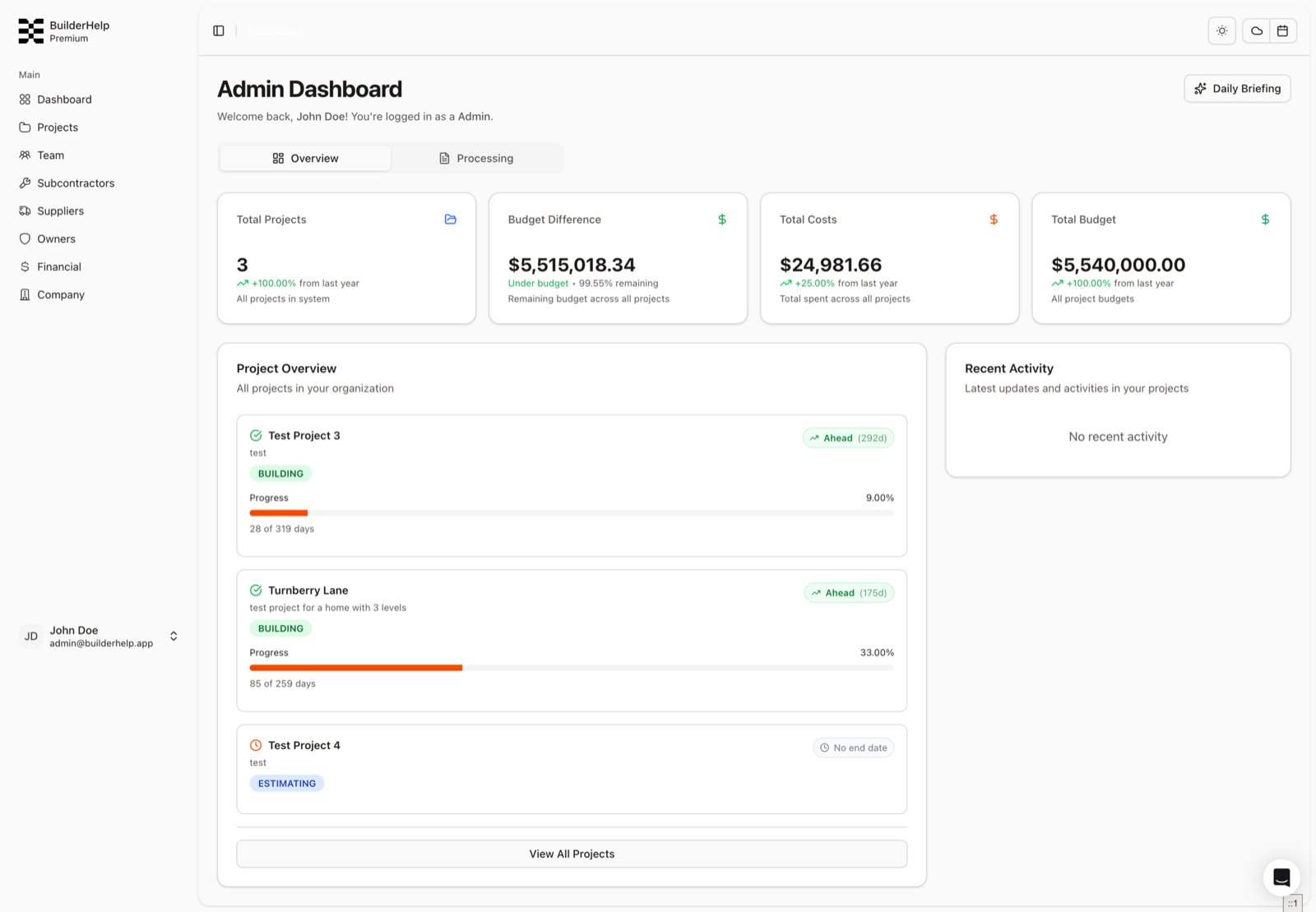
The one-click version pulls budget status, schedule health, and progress since the last update, and produces the draft. The gathering, which was the expensive part, disappears. The judgment, which was the valuable part, stays with the project manager, who edits before it goes out.
Note the shape. The trigger already existed on the calendar. The output already had a format and an audience. The AI did not invent the task or change who is responsible for it. It removed the part that was mechanical.
Three more of the same shape
Daily logs follow the same pattern — the log was already a requirement, and the friction was composition at the end of a long day, not the decision to keep one. Invoice reconciliation sits on top of the Python Tesseract service that reads supplier invoices and posts line items back; the matching against budget lines was previously a person with two windows open. Schedule optimization works against a schedule the builder already maintains rather than proposing one from scratch. Note the verb: it proposes a budget line, it does not file one. A misfiled invoice quietly corrupts the number a builder is making decisions from, and that is not a mistake worth trading for one saved click.
None of these are impressive in a demo. Every one of them is a task with an existing owner, an existing trigger, and an existing definition of done. That is what makes them safe to automate partially — when the output is wrong, the person reviewing it already knows what right looks like, because they used to produce it themselves.
That last property is underrated. A feature that compresses familiar work has built-in error detection, because the user is an expert in the output. A feature that produces something novel has no such check.
What this rules out
Being explicit about the cost: this filter rejects things that might have been valuable. Anything genuinely new — a capability the builder never had and could not have — fails the test by construction, because there is no existing task to compress. We are betting that in this market, at this stage, the adoption risk on novel capability outweighs its upside.
That bet is defensible for software sold to small builders who are already juggling a spreadsheet, a text thread, and a filing cabinet. It would be the wrong bet for a research tool or a product whose users are actively hunting for new capability. The filter is contextual, not universal.
It also means we have said no to features that customers found interesting in conversation. Interesting in conversation is not the same as opened on a Tuesday, and we have been wrong enough times about that distinction to stop trusting enthusiasm as a signal.
How to apply the filter
The question we ask about a proposed AI feature is what specifically happens today instead. Not what problem it solves in the abstract — what a named person does on a named day, and how long it takes. If that question has a concrete answer, the feature has a place to land and a way to be evaluated. If the answer is that nobody does anything today, you are proposing a behavior change and should price it as one.
The follow-up is who checks the output and how they would know it is wrong. Features that compress existing work answer this automatically. Features that generate novel output usually cannot, and that is a real risk in a domain where the output feeds a budget or a schedule.
Neither question is about the model. Both are about whether the feature has a shape in someone's actual week, which is the part that determines whether it gets used at all.
Questions
- Why avoid a project-data chat assistant as the flagship AI feature?
- It demos well but asks users to learn what to ask, verify answers, and adopt a surface that was not in their day. Builders are short on time between inspections and homeowner calls; habit-change features lose to that pressure.
- What filter decides whether an AI feature ships?
- Name it to a named person, trigger, and existing output. Owner updates already happen Friday; AI drafts the gathering, humans keep the judgment. If the answer to "what happens today instead?" is "nothing," you are selling behavior change — price it that way.
- How do you keep AI from filing bad data into budgets?
- Prefer propose-over-commit: suggest a budget line or draft; do not auto-file. A misfiled invoice quietly corrupts the numbers a builder decides from, which is a worse trade than one saved click.